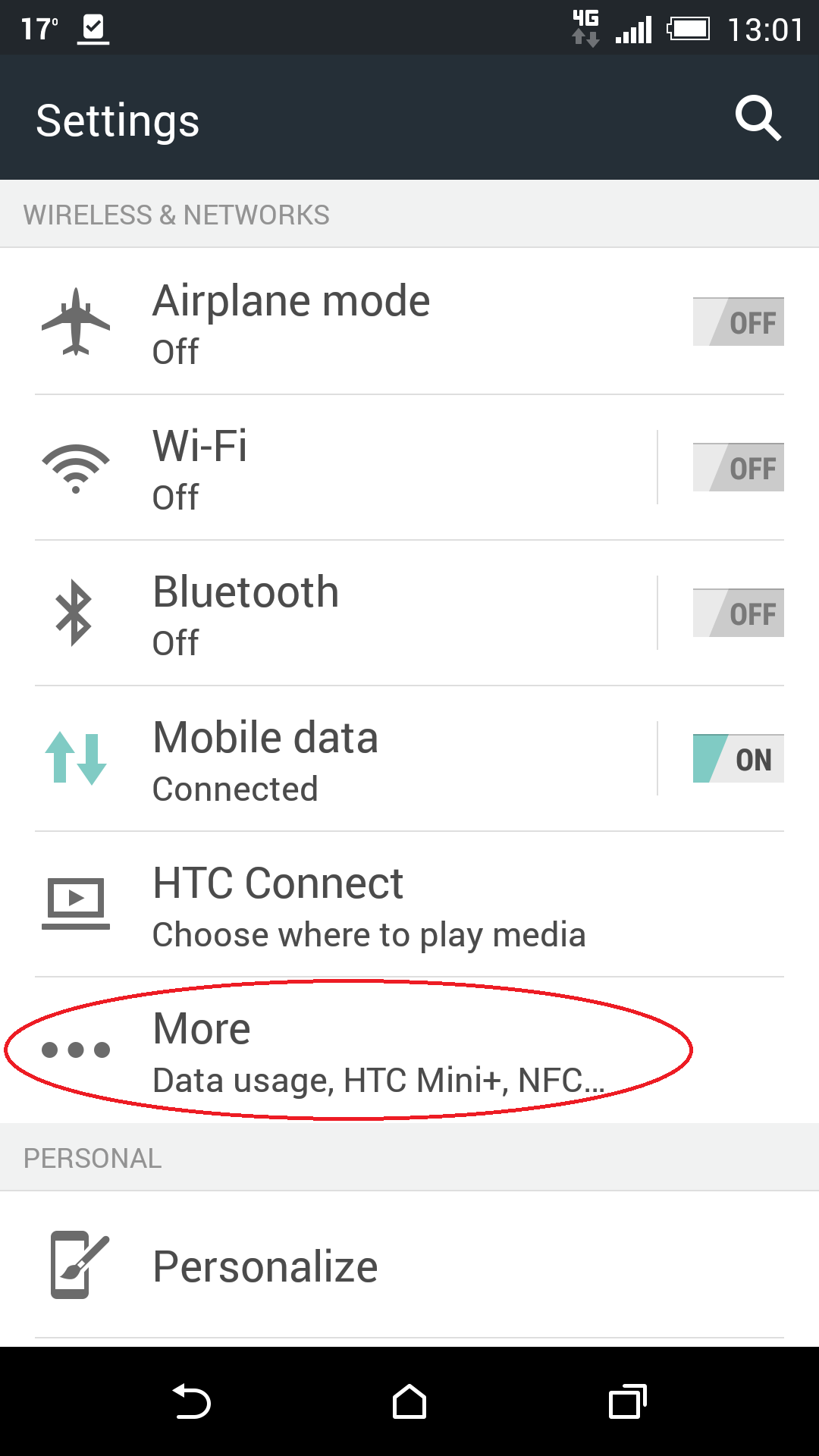
1. Enter in Settings menu
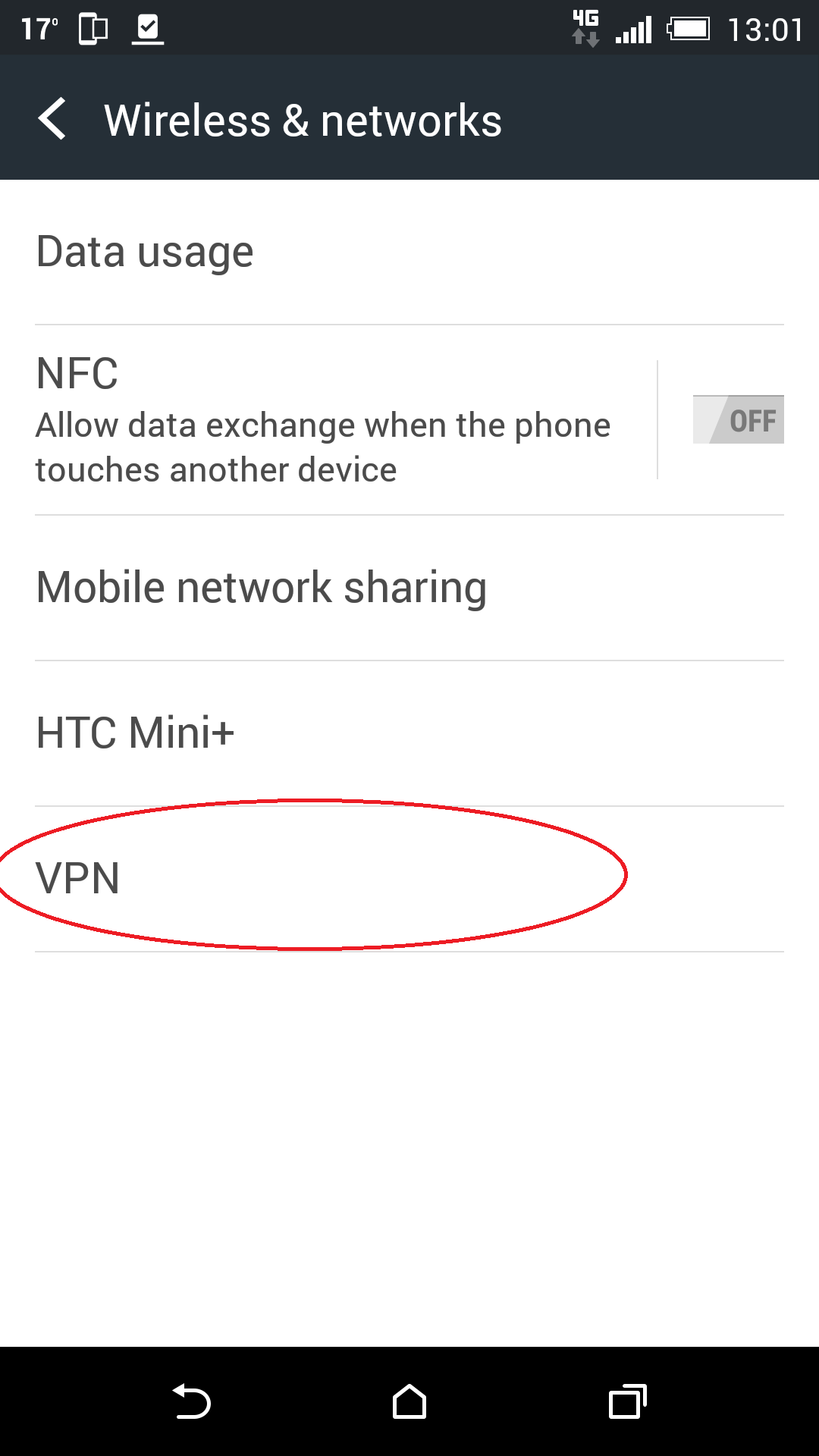
2. Select "More" and then "VPN"
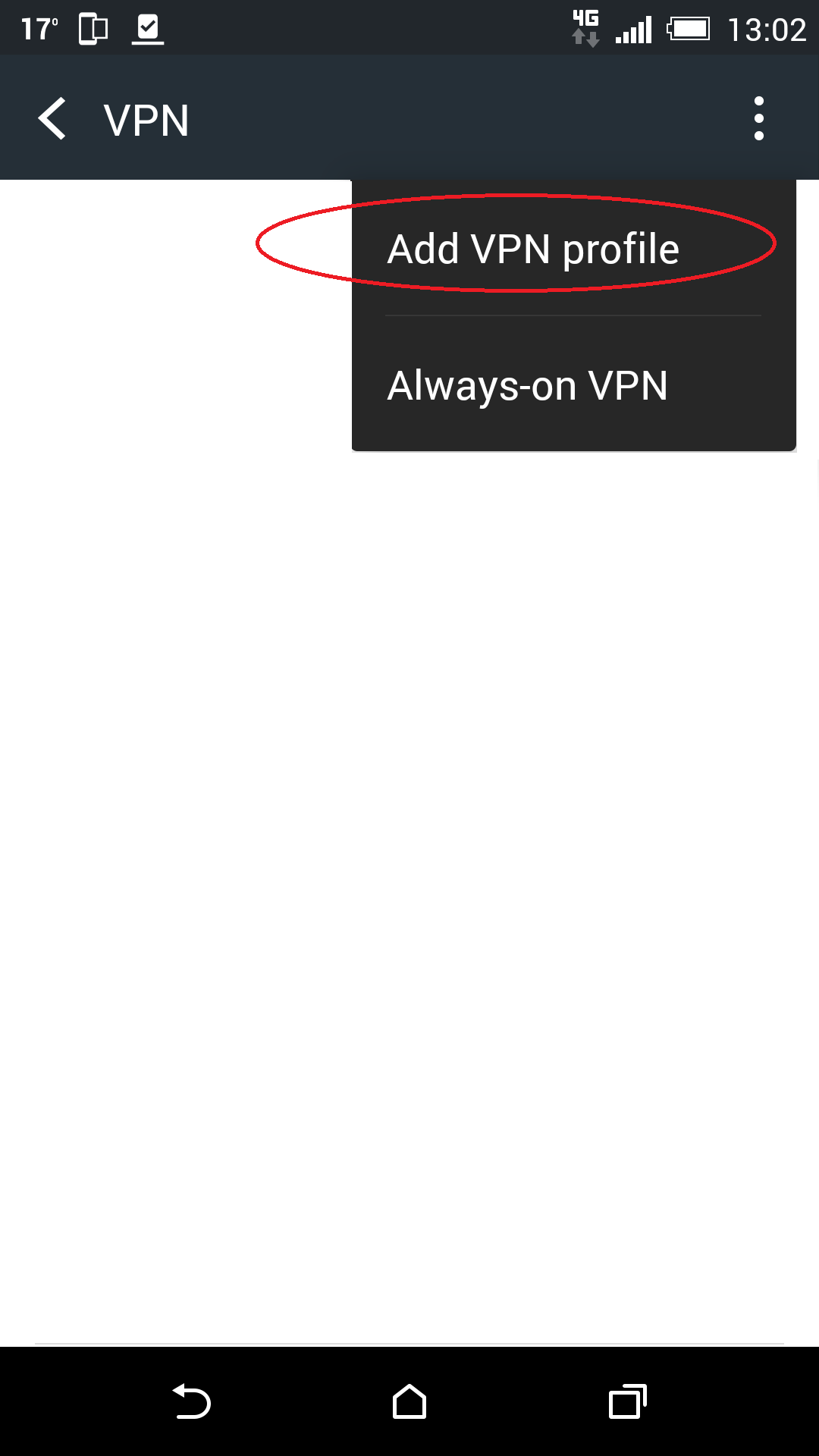
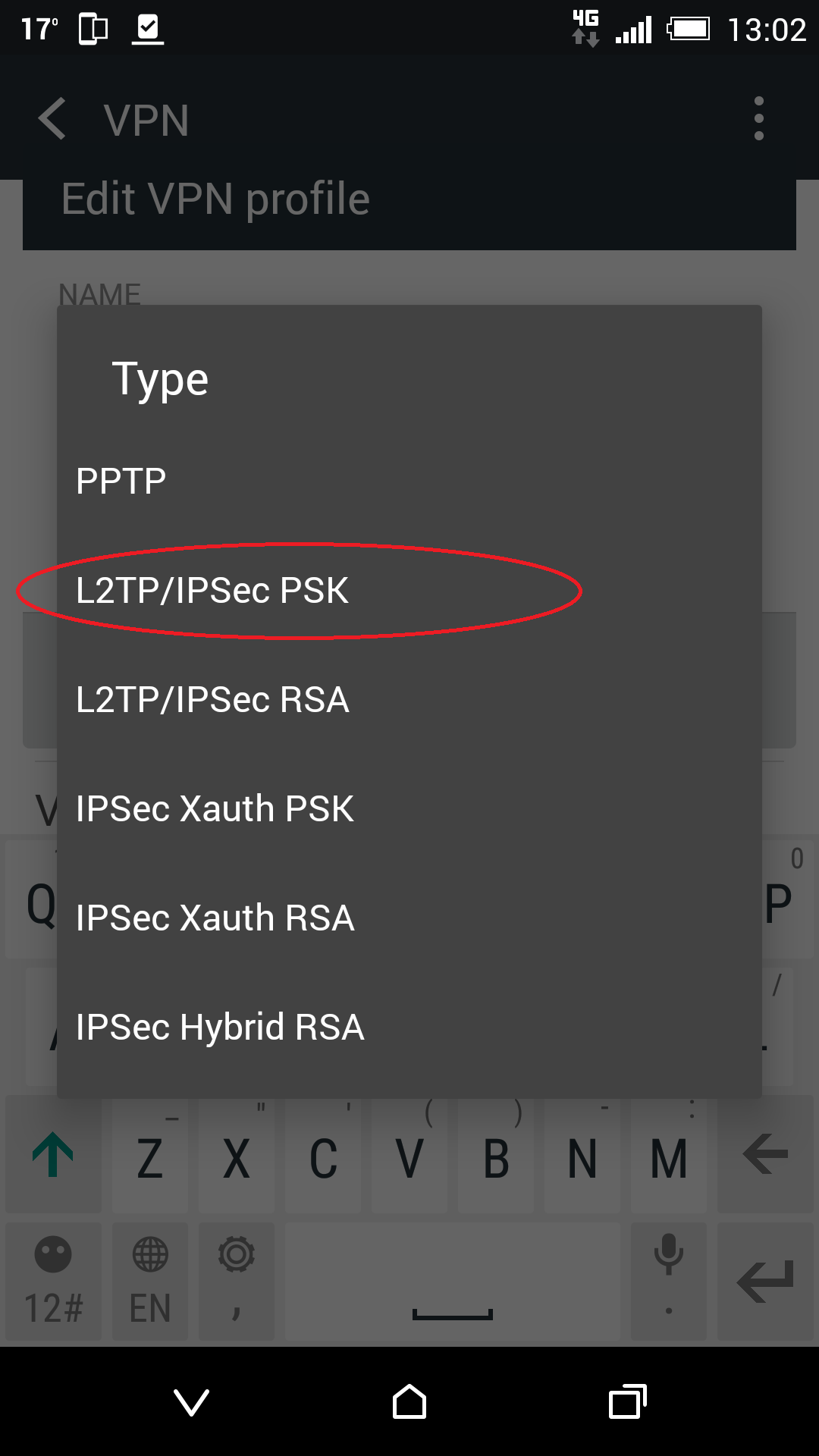
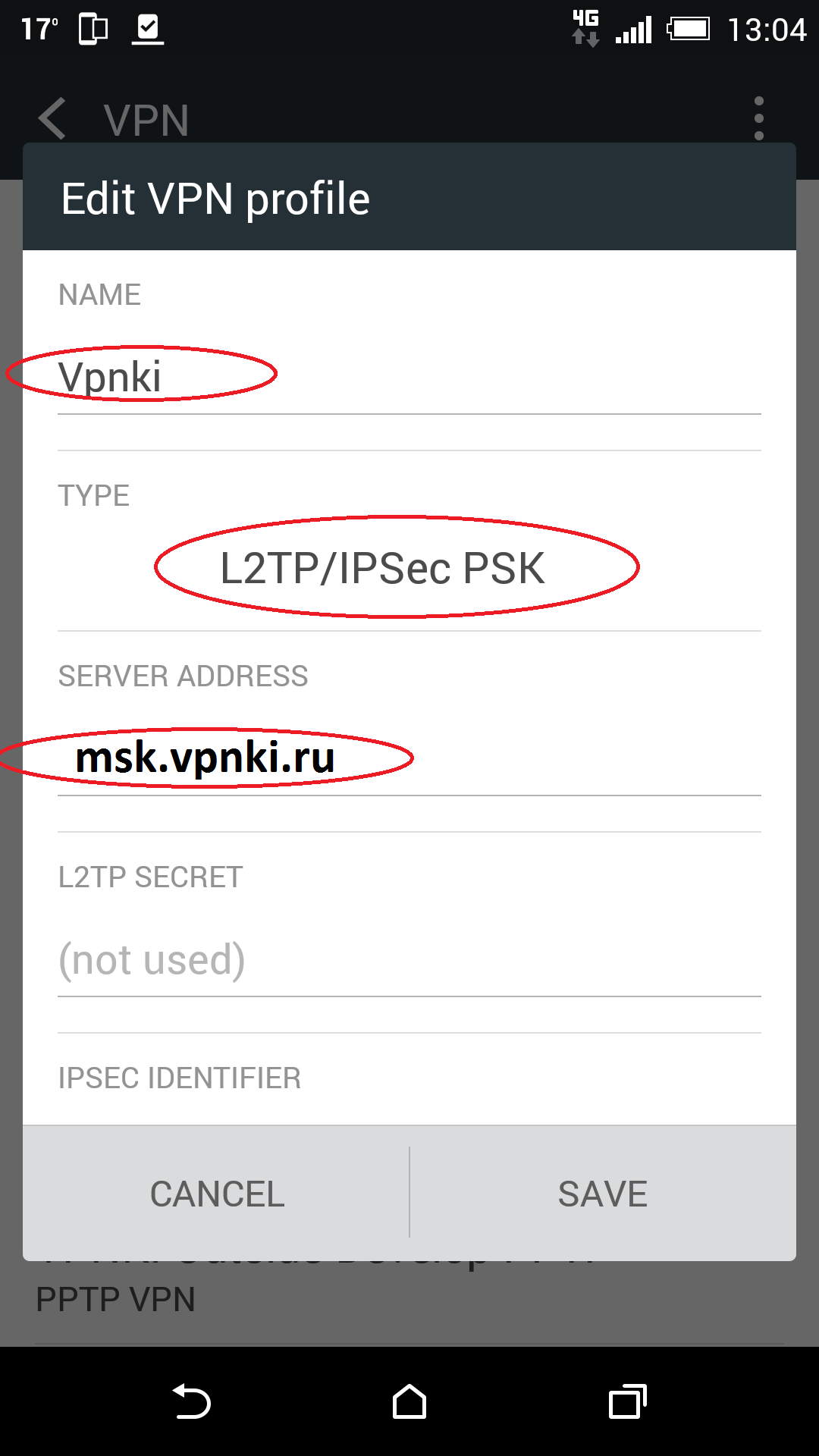
3. Create new profile with VPNKI name and protocol L2TP/IPSec PSK (just for information PSK - authentication based on key, RSA - authentication based on certificate. You need PSK):
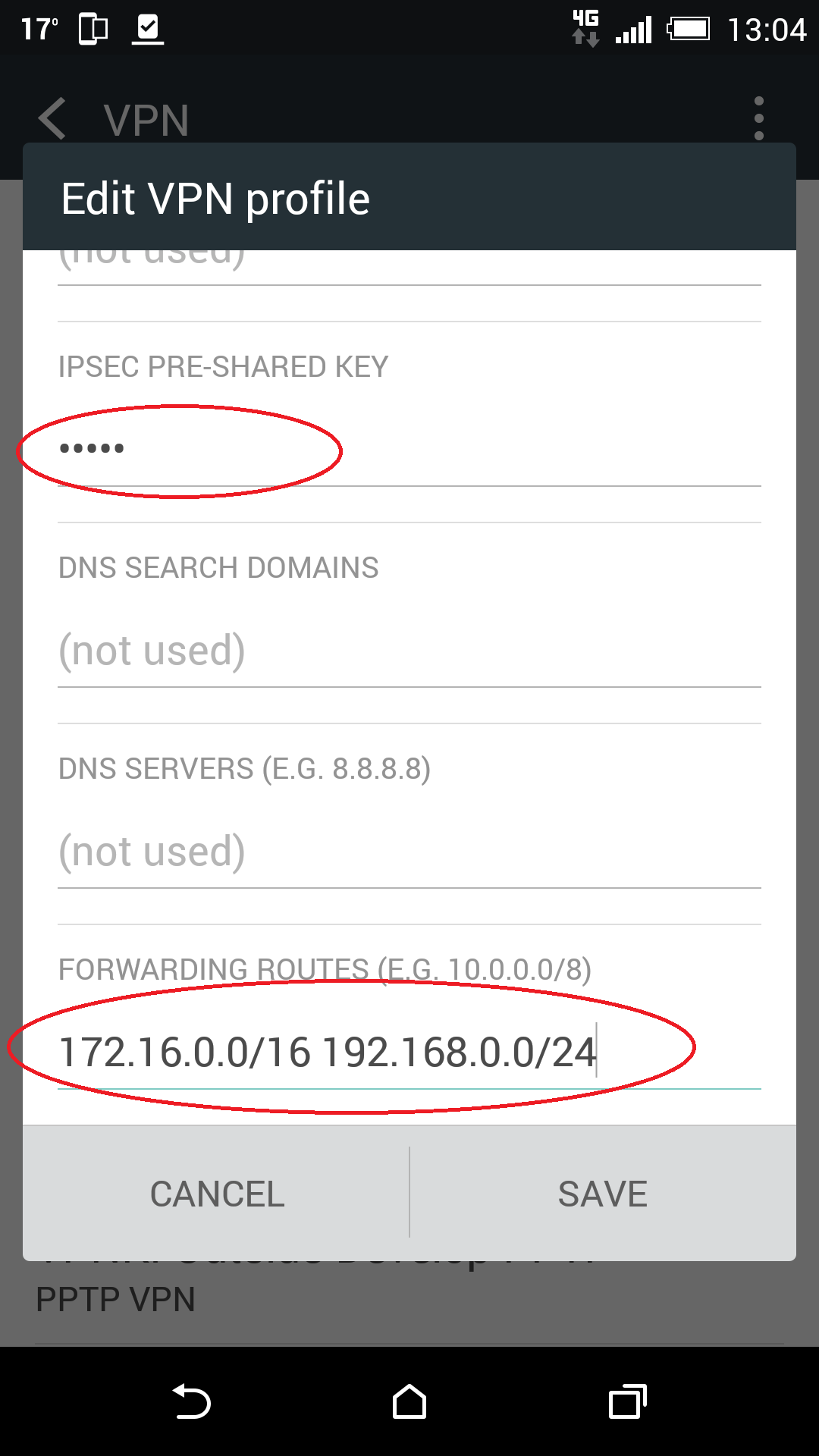
4. Please enter address of VPN server - msk.vpnki.ru and IMPORTANT! Enter "IPSEC PRE-SHARED KEY" - vpnki
5. Unfortunatly VPN connections in Andoid 6.0 can't use DHCP protocol. This means we have to add some static routes:
- route to VPNKI network - 172.16.0.0/16
- roiute to your network addresses in your remote location (if it should be available via VPN interface). For example 192.168.0.0/24 if you have a home network with such addresses
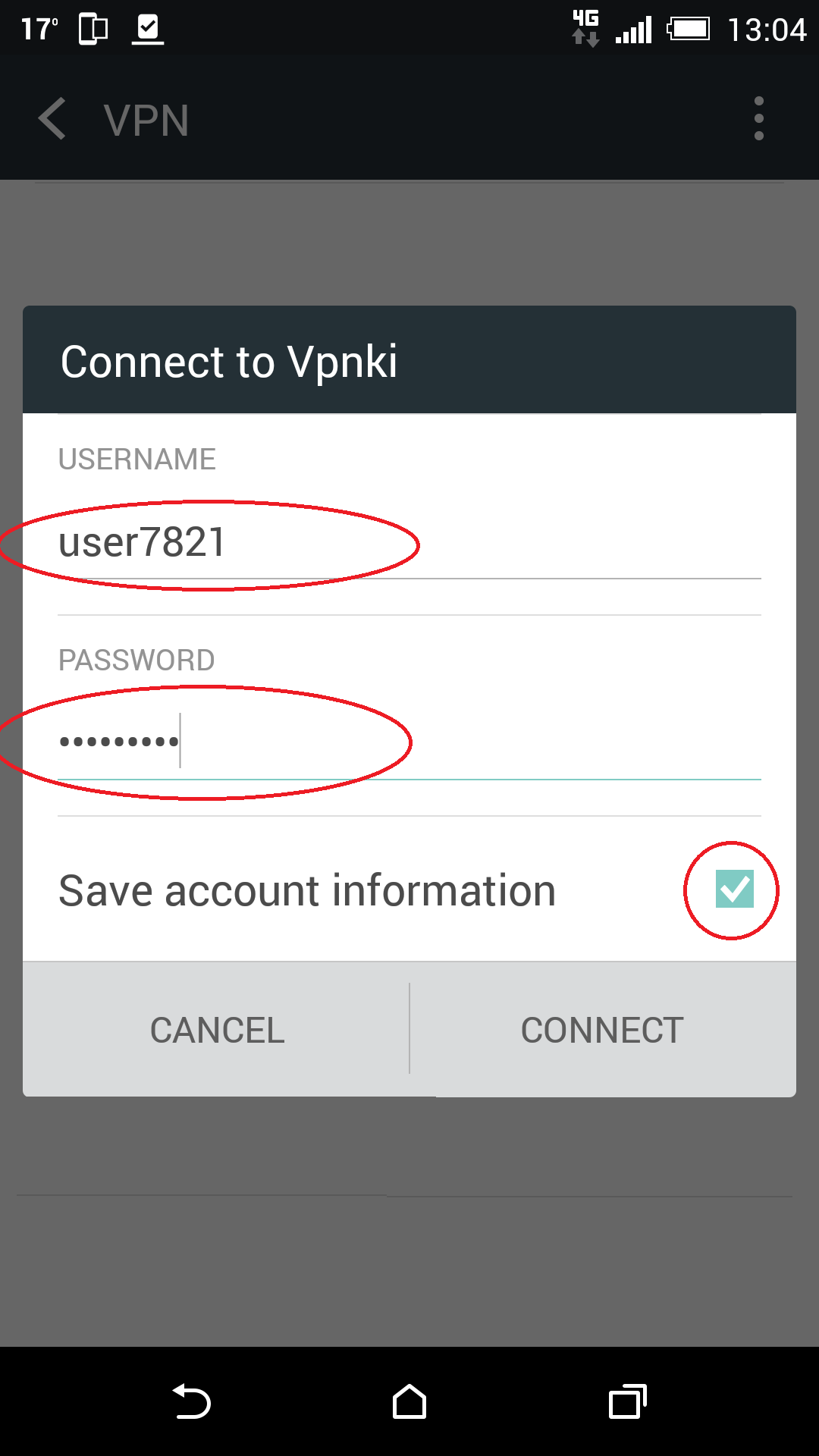
6. Now try to connect. Please put username and password that you got on vpnki site.